A website may begin as a simple blog, portfolio, or business page. But as traffic increases, the hosting requirements usually change.
More visitors place additional pressure on the server. Frequent updates make reliable backups more important. Online stores need faster product pages and secure checkout performance.
Agencies managing several projects need a cleaner way to control multiple WordPress installations.
This is where premium managed WordPress hosting becomes relevant.
Kinsta is designed for website owners who need stronger performance, technical management, security, migrations, and support than a standard shared hosting plan normally provides.
Its plans are built around WordPress installations, server bandwidth, CDN usage, storage, and backup retention.
Customers can choose hosting for one website, multiple websites, or an agency-level package for managing client projects.
Kinsta also offers a free first month on selected plans, unlimited website migrations, CDN bandwidth, and managed WordPress infrastructure.
However, its starting price is much higher than low-cost shared hosting.
A single-site plan costs $35 per month on monthly billing, while plans for agencies begin at hundreds of dollars per month.
This Kinsta review explains its key features, current pricing, benefits, disadvantages, and the types of users who are most likely to get value from the platform.
What Is Kinsta?
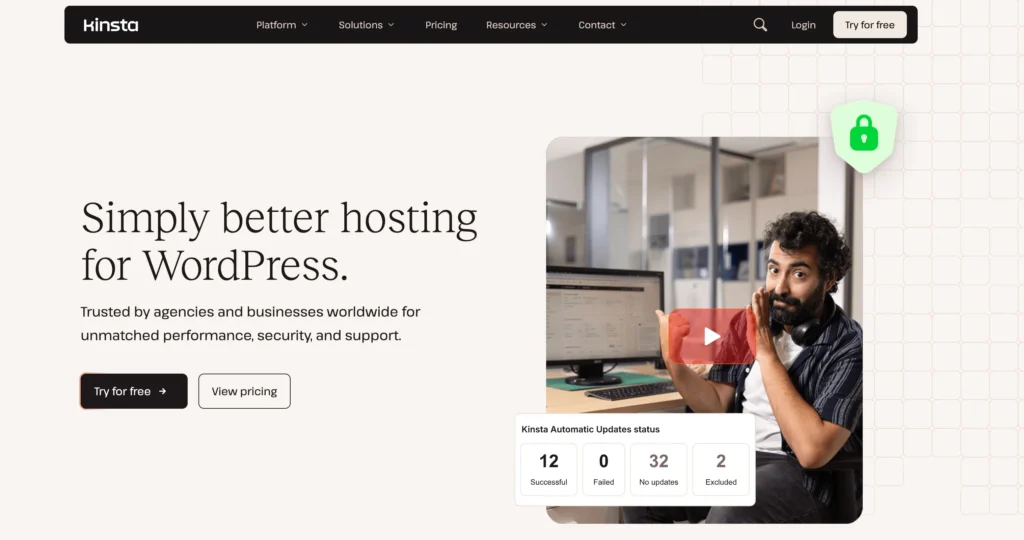
Kinsta is a managed WordPress hosting provider built for businesses, blogs, online stores, agencies, developers, and other users running WordPress websites.
Managed WordPress hosting means the provider handles many technical parts of the hosting environment.
Instead of asking customers to configure and maintain everything themselves, Kinsta manages areas such as server infrastructure, website backups, security, caching, CDN delivery, monitoring, and technical support.
Kinsta is suitable for:
• Business websites
• High-traffic blogs
• WooCommerce stores
• Membership websites
• Marketing websites
• Publishers
• Agencies
• Developer projects
• Client websites
• International websites
Its pricing structure is divided into plans for single websites, multiple websites, and agencies.
Customers can also choose whether usage is measured through bandwidth, visits, or the number of WordPress installations, depending on the available plan configuration.
Kinsta is not general-purpose hosting for every website platform. Its main service is focused on managed WordPress hosting.
Key Features of Kinsta
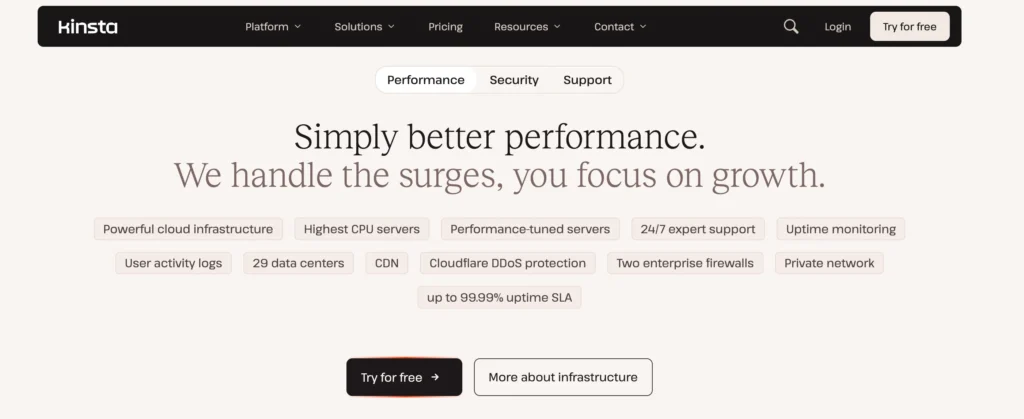
Kinsta provides tools and infrastructure designed to make WordPress websites easier to manage, migrate, secure, and scale.
The exact resources depend on the selected plan.
1. Managed WordPress Hosting
Kinsta provides a hosting environment built specifically for WordPress.
This means its infrastructure, tools, support, and performance systems are designed around the needs of WordPress websites.
A managed environment can reduce the amount of technical work required from website owners.
Kinsta may handle or assist with:
• Server management
• WordPress performance
• Security monitoring
• Backup creation
• Website migration
• CDN delivery
• Traffic management
• Technical troubleshooting
This can be helpful for businesses that depend on WordPress but do not want to maintain their own servers.
2. Hosting for Single and Multiple Websites
Kinsta separates its plans according to the number of WordPress websites being hosted.
The Single 20GB plan supports one WordPress installation.
The WP 2 Bandwidth plan supports two WordPress installations.
Agency plans are intended for teams managing a larger number of client websites.
This makes it easier for users to choose a package based on the number of active projects they manage.
A freelancer with one business website may only need the single-site plan.
An owner running two brands or websites may find the multiple-site plan more practical.
Agencies can use larger plans designed for client management and scaling.
3. Server Bandwidth Allowances
Kinsta includes a defined amount of server bandwidth with its hosting plans.
Server bandwidth refers to data transferred directly from the hosting server when visitors load website content.
The Single 20GB plan includes 20 GB of server bandwidth.
The WP 2 Bandwidth plan includes 40 GB.
Bandwidth requirements depend on:
• Number of visitors
• Page size
• Image usage
• Downloadable files
• Video content
• Traffic location
• Caching efficiency
A lightweight business website may use less bandwidth than a media-heavy online store or news website.
Customers should monitor their usage, particularly if their pages contain large images or downloadable content.
4. CDN Bandwidth
Kinsta includes CDN bandwidth in addition to server bandwidth.
A CDN stores and delivers copies of website files from multiple locations.
This allows visitors to receive content from a server that may be closer to them.
The Single 20GB plan includes 125 GB of CDN bandwidth.
The WP 2 Bandwidth plan includes 250 GB.
CDN delivery can improve loading times for international visitors and reduce the amount of content served directly by the main hosting environment.
It is especially useful for:
• Global businesses
• Ecommerce stores
• Blogs with international readers
• Media websites
• Agencies serving clients in several countries
5. Unlimited Free Migrations
Kinsta includes unlimited free website migrations with its main plans.
This means customers can move WordPress websites from another hosting provider without paying for each standard migration.
A WordPress migration may include:
• Website files
• WordPress database
• Themes
• Plugins
• Media library
• Users
• Website settings
• Domain configuration
Unlimited migrations are valuable for users transferring more than one website.
They may also benefit agencies moving multiple client projects from different hosting providers.
Although migrations are included, customers should still maintain backups before beginning any transfer.
6. Fourteen-Day Backup Retention
The Single 20GB and WP 2 Bandwidth plans include 14 days of backup retention.
Backup retention refers to how long previous website backups remain available.
A 14-day retention period provides access to recent versions of the website.
This can help after:
• A failed plugin update
• A theme error
• Accidental deletion
• Website hacking
• Database corruption
• Broken code
• Unwanted content changes
For frequently updated websites, two weeks of backup history may be useful.
However, website owners should also consider keeping an independent backup for longer-term protection.
7. Free First Month
Selected Kinsta plans include the first month at no cost.
The Single 20GB monthly plan lists $0 due today and $35 after the free first month.
The WP 2 monthly plan lists $0 due today and $70 after the first month.
Annual options also display an initial free period before the annual payment becomes due.
This gives users an opportunity to test the hosting environment before paying the normal subscription cost.
Customers should still review the billing schedule carefully so they know when the first payment will be charged.
8. Annual Billing Discounts
Kinsta offers savings for customers who choose annual billing.
The Single 20GB plan saves $70 compared with monthly billing.
The WP 2 Bandwidth plan saves $140.
The agency plan shows annual savings of $680.
Annual billing lowers the effective monthly cost but requires a larger upfront payment.
This may suit established businesses with predictable hosting needs.
New websites may prefer monthly billing until they are confident that the plan is suitable.
9. Storage for WordPress Files
Kinsta includes SSD storage for website files, databases, images, themes, plugins, and other WordPress content.
The Single 20GB plan includes 10 GB of storage.
The WP 2 plan includes 20 GB.
Storage usage can grow quickly when a website contains:
• Large images
• Videos
• Downloadable resources
• Product catalogues
• Backup files
• Multiple themes
• Large databases
Ten gigabytes may be enough for a well-optimised business site or blog.
Websites with a large media library may need a higher package or more careful file management.
10. Scalable Hosting Structure
Kinsta presents its pricing as hosting that can scale with the customer.
Users can begin with one website and later move to a multiple-site or agency plan as their needs increase.
This structure may work well for:
• Freelancers adding client websites
• Businesses launching additional brands
• Agencies expanding their portfolio
• Publishers creating more websites
• Ecommerce companies growing traffic
Scaling is easier when the same provider offers packages for different stages of growth.
However, the price also increases as additional resources and websites are required.
11. Plans Based on Website Usage
Kinsta allows customers to view hosting plans based on factors such as bandwidth, visits, or WordPress installations.
This is useful because different websites consume resources in different ways.
For example, one website may receive many visits but use small pages.
Another may receive fewer visitors but transfer large files or use heavy ecommerce features.
Choosing a plan based on actual usage can help customers avoid selecting a package that does not match their website.
Users should examine both traffic and bandwidth before making a decision.
12. High-Performance WordPress Focus
Kinsta positions its single-site plan as suitable for one high-performing website.
Its managed environment is aimed at businesses, blogs, and stores that need more consistent performance than basic shared hosting usually provides.
Performance can depend on:
• Server resources
• CDN delivery
• Website caching
• WordPress configuration
• Theme quality
• Plugin quality
• Image optimisation
• Database size
Kinsta controls the hosting infrastructure, but website owners still need to keep their WordPress installation efficient.
13. Centralised Website Management
Multiple-site and agency plans allow users to manage several WordPress installations from one account.
Centralised management can reduce the time required to monitor separate websites.
This is useful for:
• Agencies
• Freelancers
• Businesses with several brands
• Developers
• Marketing teams
• Website portfolio owners
Instead of maintaining separate hosting accounts, users can manage multiple projects through one platform.
14. Agency Hosting Benefits
Kinsta provides special benefits for eligible agencies.
These benefits may include:
• Up to $10,000 in hosting credits
• Listing in the Kinsta Agency Directory
• Unbranded WordPress administration
• Access to account management
• Scalable client-site hosting
The hosting credits may reduce costs for qualifying agencies during the early stages of a partnership.
A directory listing may also help agencies receive visibility from potential clients.
15. Unbranded WordPress Administration
Agency plans include an unbranded WordPress admin experience.
This means clients may use their WordPress dashboard without seeing Kinsta branding in certain areas.
An unbranded experience can help agencies present a more professional service.
It allows the client relationship to remain focused on the agency rather than the hosting provider.
This is often called white-label or unbranded access.
16. Access to Account Management
Agency customers receive access to account management.
An account manager can help agencies with hosting needs, account planning, platform usage, and growth.
This may be valuable when managing several client websites.
Agencies often need help with:
• Moving many websites
• Resource planning
• Billing questions
• Hosting upgrades
• Technical coordination
• Account expansion
Direct account support can make these processes easier.
17. Agency Directory Listing
Eligible agencies may receive a listing in Kinsta’s Agency Directory.
A directory listing can provide another source of visibility for agencies looking for WordPress clients.
Potential customers may use the directory to find developers, designers, or agencies familiar with Kinsta.
The value of this feature depends on the agency’s market, profile quality, and target clients.
It should be considered an additional benefit rather than a guaranteed lead source.
18. Suitable for WooCommerce Stores
Kinsta’s managed WordPress platform can also be used for WooCommerce websites.
WooCommerce stores require more resources than many standard blogs because they process:
• Product pages
• Customer accounts
• Shopping carts
• Checkout sessions
• Payment requests
• Order data
• Inventory changes
A managed WordPress environment may help store owners handle these requirements more reliably.
However, stores should carefully compare bandwidth, storage, traffic, and resource usage before selecting a plan.
19. Suitable for High-Traffic Blogs
Content-heavy blogs may benefit from Kinsta’s CDN bandwidth, managed environment, migrations, and backup retention.
As a blog grows, traffic can become less predictable.
A popular post may suddenly attract thousands of readers.
A managed hosting platform may provide more reliable performance than entry-level shared hosting during these periods.
Publishers should still monitor storage and bandwidth limits, especially when using many large images.
20. Technical Support for WordPress Users
Managed hosting usually includes specialised technical support.
Kinsta’s service is intended for WordPress customers, which means support is focused on WordPress-related hosting issues.
Support may assist with:
• Migration problems
• Hosting configuration
• Performance questions
• Backups
• Resource usage
• Website access
• Account issues
• WordPress hosting errors
Specialised support can save time for businesses that do not have an internal hosting team.
Kinsta Pricing Plans
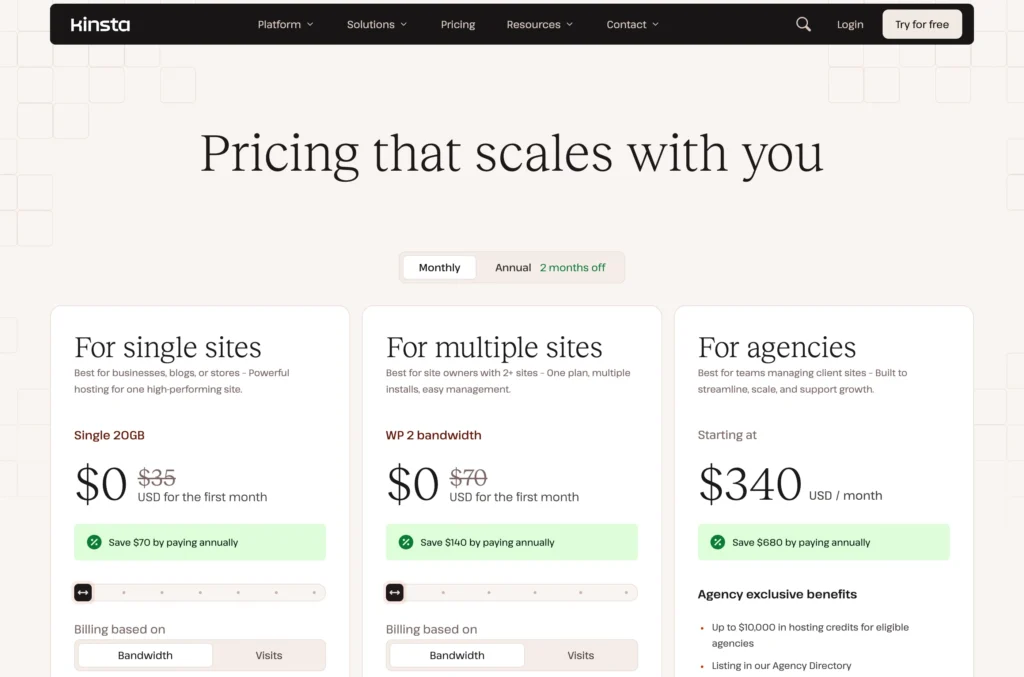
Kinsta offers monthly and annual billing.
Selected plans include a free first month.
Prices are listed in US dollars and exclude tax.
1. Kinsta Single 20GB Monthly Plan
The Single 20GB plan costs $35 per month on monthly billing.
The first month is listed at $0.
Customers pay $0 when starting and $35 after the free first month.
The plan includes:
• One WordPress installation
• 20 GB server bandwidth
• 125 GB CDN bandwidth
• 10 GB storage
• Unlimited free migrations
• 14 days of backup retention
• Free first month
This plan is designed for one high-performing website.
It is suitable for a business website, professional blog, portfolio, or smaller WooCommerce store.
The main limitations are the single-install restriction, 10 GB storage, and 20 GB server bandwidth.
2. Kinsta Single 20GB Annual Plan
The annual Single 20GB plan has an effective price of $30 per month.
The listed annual payment is $350 after the initial free period.
Customers save $70 per year compared with paying monthly.
The plan includes the same resources:
• One WordPress installation
• 20 GB server bandwidth
• 125 GB CDN bandwidth
• 10 GB storage
• Unlimited free migrations
• 14 days of backup retention
This option is better for users who are confident they will remain with Kinsta for at least one year.
Annual billing lowers the total cost but requires a larger payment at once.
3. Kinsta WP 2 Bandwidth Monthly Plan
The WP 2 Bandwidth plan costs $70 per month on monthly billing.
The first month is listed at $0.
Customers pay $0 when starting and $70 after the free first month.
The plan includes:
• Two WordPress installations
• 40 GB server bandwidth
• 250 GB CDN bandwidth
• 20 GB storage
• Unlimited free migrations
• 14 days of backup retention
• Free first month
This plan is intended for website owners managing at least two WordPress projects.
It may suit businesses with two brands, freelancers managing a client site, or owners running a blog and online store separately.
4. Kinsta WP 2 Bandwidth Annual Plan
The annual WP 2 plan has an effective price of approximately $59 per month.
The listed annual payment is $700 after the free initial period.
Customers save $140 per year compared with monthly billing.
The resources remain the same:
• Two WordPress installations
• 40 GB server bandwidth
• 250 GB CDN bandwidth
• 20 GB storage
• Unlimited free migrations
• 14 days of backup retention
This plan provides better long-term value for users who know they need hosting for two WordPress websites.
5. Kinsta Agency Monthly Plan
Kinsta agency hosting starts at $340 per month on monthly billing.
The plan is designed for teams managing multiple client websites.
Agency packages include access to benefits such as:
• Hosting for multiple client sites
• Up to $10,000 in hosting credits for eligible agencies
• Kinsta Agency Directory listing
• Unbranded WordPress admin experience
• Account management access
• Tools for scaling client projects
The exact hosting resources may depend on the selected agency package.
This plan is best for established agencies rather than individual bloggers or small businesses.
6. Kinsta Agency Annual Plan
The annual agency plan has an effective price of approximately $284 per month.
The listed annual payment is $3,400.
Customers save $680 per year compared with monthly billing.
The annual plan includes the same agency-focused benefits:
• Hosting credits for eligible agencies
• Agency Directory visibility
• Unbranded WordPress administration
• Access to account management
• Scalable hosting for client websites
Annual billing can reduce the cost for agencies that expect to remain on the platform for a full year.
Who Should Use Kinsta?
Kinsta is best suited to users who treat their WordPress website as an important business asset.
It may be a good option for:
• Growing businesses
• Professional bloggers
• WooCommerce stores
• Agencies
• Freelancers
• Developers
• Publishers
• Marketing teams
• International websites
• Users moving several WordPress sites
• Businesses needing managed hosting
The Single 20GB plan is best for one professional website.
The WP 2 plan is suitable for users managing two WordPress installations.
Agency plans are designed for teams hosting and maintaining websites for clients.
Kinsta may be unnecessary for a small hobby website with little traffic and a limited budget.
Is Kinsta Legit?
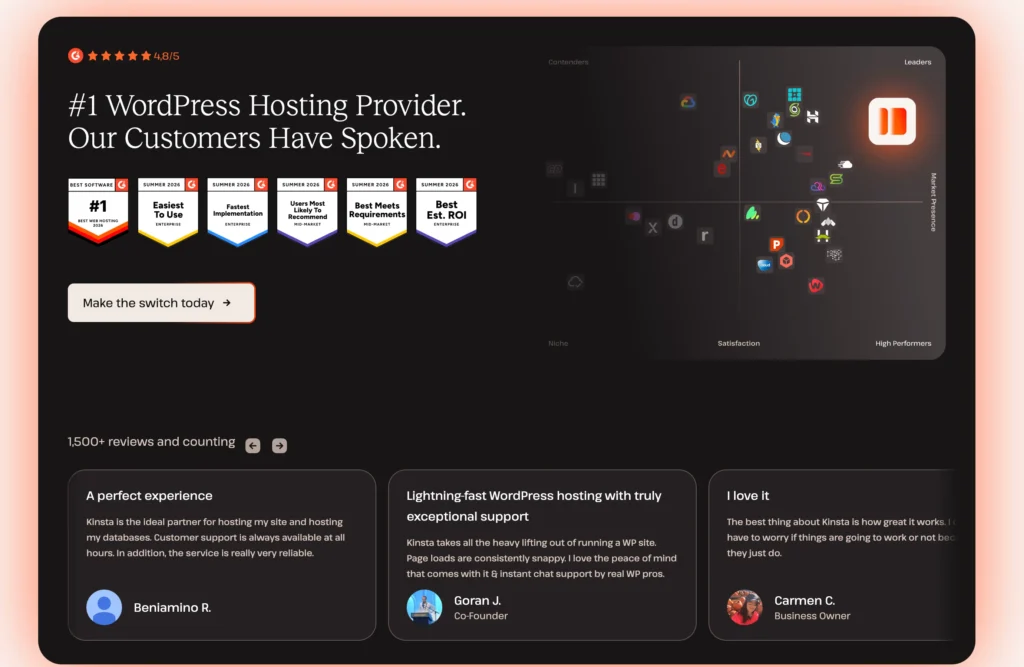
Yes, Kinsta is a legitimate managed WordPress hosting provider.
It offers single-site, multiple-site, and agency hosting plans.
Its service includes CDN bandwidth, server bandwidth, storage, unlimited migrations, backup retention, and managed WordPress infrastructure.
Kinsta is positioned as a premium service rather than budget hosting.
Its pricing is higher because it focuses on performance, management, migrations, agency tools, and specialised WordPress hosting.
Customers should compare their expected bandwidth, storage, and number of websites before choosing a plan.
Pros and Cons of Kinsta
Pros
• Managed hosting built for WordPress
• Free first month on selected plans
• Unlimited free website migrations
• CDN bandwidth included
• Fourteen-day backup retention
• Monthly and annual billing options
• Annual subscription discounts
• Separate plans for single and multiple websites
• Agency hosting available
• Hosting credits for eligible agencies
• Unbranded WordPress administration
• Agency Directory listing
• Access to account management
• Suitable for businesses and ecommerce stores
• Centralised management for multiple websites
• Clear storage and bandwidth allowances
Cons
• More expensive than shared WordPress hosting
• Single-site monthly pricing starts at $35
• Only one WordPress install on the entry plan
Final Verdict: Is Kinsta Built for Your Stage of Growth?
Kinsta makes the most sense when a WordPress website has moved beyond the experimental stage.
A new personal blog with little traffic may not need a $35 monthly hosting plan. A growing business, profitable store, or established content site may see the cost differently.
The Single 20GB plan provides a managed environment for one website, along with CDN delivery, unlimited migrations, and 14 days of backup history.
The WP 2 plan doubles the number of WordPress installations and increases bandwidth, CDN capacity, and storage.
Agency hosting is built for companies managing client relationships rather than individual website owners. Its hosting credits, account management, unbranded admin experience, and directory listing are designed to support an agency model.
Kinsta’s biggest advantage is its clear focus.
It does not try to serve every type of hosting customer. It is built for WordPress users who value management, migrations, performance infrastructure, and professional support.
The main drawback is cost.
The plans are difficult to justify for low-traffic hobby websites or users who only need basic hosting.
For a serious WordPress business, ecommerce store, publisher, or agency, Kinsta can be a practical premium option that provides more structure and support as the website grows.