Running a WordPress website becomes more demanding as traffic, content, customers, and technical requirements increase.
A basic hosting plan may be enough for a small blog or a new business website.
However, growing websites often need stronger security, faster support, automatic updates, better performance controls, and infrastructure that can handle sudden traffic increases.
WP Engine is built for that type of user.
Instead of offering general hosting for every website platform, WP Engine focuses on managed WordPress hosting.
Its service is designed for businesses, developers, agencies, ecommerce brands, and large organizations that depend heavily on WordPress.
The platform includes managed WordPress updates, technical support, threat protection, global content delivery, website migration tools, local development features, performance options, and enterprise-level infrastructure.
However, WP Engine is significantly more expensive than standard shared hosting.
Its entry-level plan starts at $27 per month, while its Core plan begins at $400 per month.
That pricing places WP Engine in a different category from budget hosting companies.
This WP Engine review examines its main features, pricing plans, additional costs, advantages, limitations, and suitability for different types of WordPress users.
What Is WP Engine?
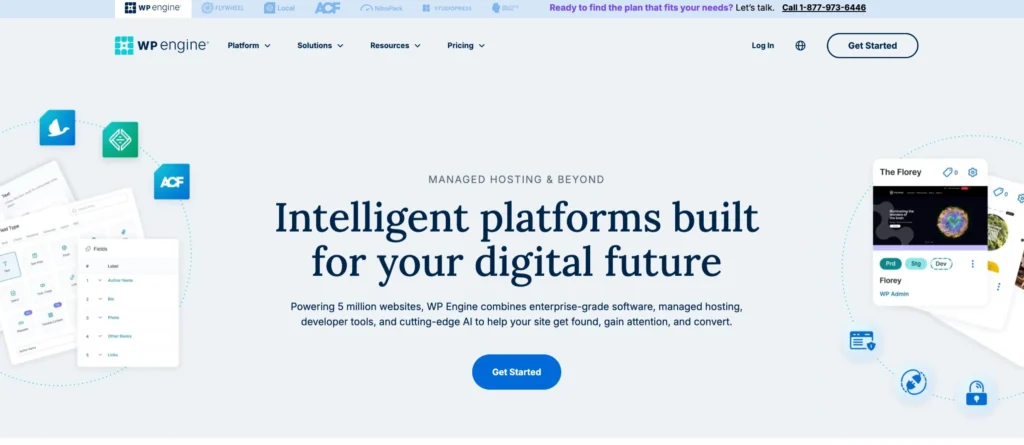
WP Engine is a managed WordPress hosting provider.
It offers hosting infrastructure, maintenance tools, security services, developer features, website migration, performance monitoring, and technical support for WordPress websites.
Managed hosting means the provider handles many technical tasks that users would otherwise need to manage themselves.
These tasks may include:
• WordPress updates
• PHP updates
• MySQL updates
• Threat monitoring
• Website caching
• Content delivery
• Performance checks
• Security management
• Technical troubleshooting
WP Engine is mainly designed for:
• WordPress businesses
• Growing online brands
• Digital agencies
• Web developers
• Ecommerce stores
• High-traffic publishers
• Marketing websites
• Enterprise organisations
• Mission-critical websites
The platform is not intended for users who only want the cheapest place to host a simple website.
Its plans focus more on reliability, support, security, scalability, and WordPress-specific management.
Key Features of WP Engine
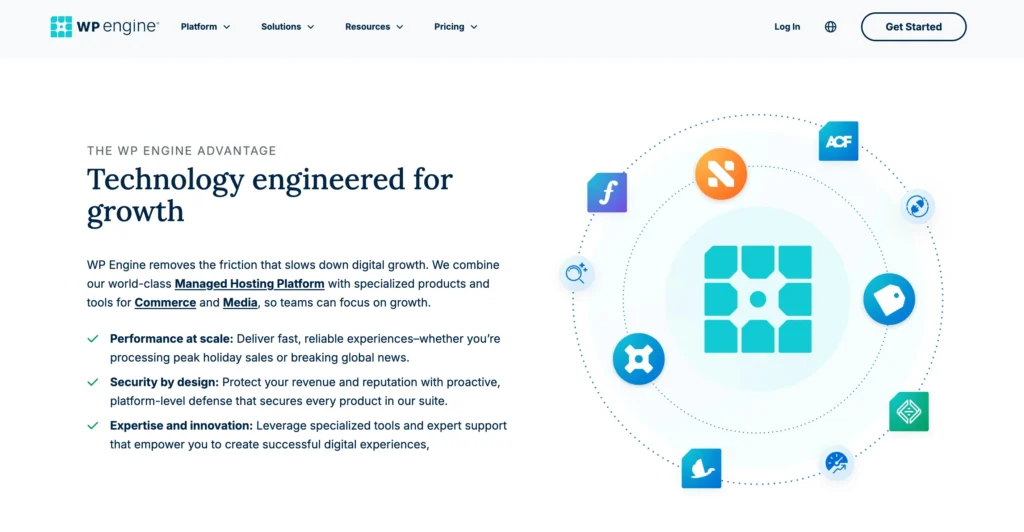
WP Engine includes a range of tools for managing WordPress websites.
The exact features depend on the selected plan, but all users receive access to the company’s managed WordPress environment.
1. Managed WordPress Updates
WP Engine manages important WordPress updates as part of its hosting service.
This includes updates for:
• WordPress core
• PHP
• MySQL
Keeping these systems updated can reduce security risks and improve website compatibility.
Users do not need to handle every update manually.
This is helpful for businesses and teams that do not have a dedicated WordPress administrator.
Managed updates can also reduce the chance of websites running outdated software for long periods.
2. Global Content Delivery Network
WP Engine includes edge content delivery through a global CDN.
A CDN stores copies of website files across different locations.
When someone visits the site, content can be served from a location closer to that visitor.
This may help improve loading time for users in different countries.
A CDN can also reduce pressure on the main hosting server during busy periods.
It is particularly useful for:
• International websites
• Content publishers
• Ecommerce stores
• SaaS websites
• Marketing campaigns
• High-traffic blogs
3. Real-Time WordPress Threat Defence
Security is one of the main areas WP Engine focuses on.
Its Essential hosting package includes real-time WordPress threat defence.
This system helps identify and block suspicious activity targeting WordPress websites.
WordPress is widely used, which also makes it a common target for automated attacks, outdated plugin exploits, and malicious login attempts.
WP Engine’s security tools are designed specifically for the WordPress environment.
Higher plans also include more advanced protection such as managed web application firewalls, DDoS mitigation, and proactive monitoring.
4. 24/7 WordPress Technical Expertise
WP Engine provides 24/7 access to WordPress technical expertise.
This is different from general hosting support because the support team focuses specifically on WordPress-related issues.
Support may assist with:
• WordPress errors
• Plugin conflicts
• Website migration
• Performance issues
• Hosting configuration
• Security concerns
• Update problems
• Account management
The Core and Enterprise plans include faster or higher-priority access to senior experts.
This can be useful for companies where website problems directly affect leads, sales, or customer experience.
5. Free Automated Migration Plugin
WP Engine includes a free automated migration plugin.
The plugin is designed to help users move an existing WordPress website from another hosting provider.
A WordPress migration may involve transferring:
• Website files
• Database content
• Themes
• Plugins
• Media files
• User accounts
• Website settings
Automated migration reduces the amount of manual technical work required.
However, users should still create a complete backup before beginning the transfer.
The Core and Enterprise plans also provide managed migration services for larger or more complex transfers.
6. Local Development Tool
WP Engine includes a local development tool.
Local development allows developers to create and test websites on their own computers before publishing changes to the live website.
This is useful for:
• Developing new pages
• Testing plugins
• Editing themes
• Checking code changes
• Fixing technical issues
• Creating client websites
• Testing WordPress updates
A local environment reduces the risk of breaking a live website during development.
It is especially valuable for agencies and professional developers.
7. Isolated Hosting Resources
The Core plan includes isolated resources.
This means hosting resources are separated more clearly from other users or websites.
Isolated resources can improve performance consistency and reduce the risk of other websites affecting your available capacity.
This is important for growing brands, ecommerce websites, and high-traffic projects.
It also makes the Core plan more suitable for businesses that require more predictable performance.
8. 99.99% Uptime SLA
WP Engine’s Core plan includes a 99.99% uptime service-level agreement.
An uptime SLA is a formal commitment regarding the availability of the hosting service.
Higher uptime is important for:
• Ecommerce websites
• Subscription platforms
• Lead generation sites
• Media websites
• Customer portals
• Business-critical applications
Even short periods of downtime can result in missed sales, lost enquiries, or a poor user experience.
The Startup plan does not list the same 99.99% uptime SLA in the provided pricing details.
9. AI-Powered Plugin and Theme Updates
The Core plan includes AI-powered plugin and theme updates.
This feature is designed to help businesses keep WordPress plugins and themes current while reducing the risk of update-related problems.
Updates can sometimes break page layouts, features, forms, or compatibility.
WP Engine uses automated testing to identify possible issues after changes are applied.
The Startup plan offers automated plugin updates as a paid extension.
This add-on costs $3 per month.
10. Visual Regression Testing and Rollbacks
Automated Plugin Updates include visual regression testing and rollbacks.
Visual regression testing compares the website before and after an update.
It checks whether page elements, designs, or layouts have changed unexpectedly.
When an update causes a problem, rollback tools can help restore the previous version.
This is useful for business websites and ecommerce stores where even a small design issue may affect user trust or conversions.
11. NitroPack Performance Optimisation
NitroPack is included in the Core and Enterprise plans.
It is also available as a $15-per-month extension for the Startup plan.
NitroPack automatically applies performance improvements to a WordPress website.
These may include:
• Image optimisation
• Code optimisation
• Page caching
• Script management
• Loading improvements
• Page speed enhancements
WP Engine states that NitroPack provides more than 30 site optimisations.
It may help improve page speed scores without requiring users to configure every performance setting manually.
12. Advanced Web Application Firewall
Advanced firewall protection is available through the Extra Layer of Security extension on the Startup plan.
This add-on costs $17 per month.
It includes:
• Managed web application firewall
• DDoS mitigation
• Cloudflare CDN
• SSL
• Enterprise-grade protection
The Core and Enterprise plans include more advanced security and compliance tools.
A web application firewall helps block malicious traffic before it reaches the website.
This may be valuable for ecommerce, financial, membership, and business websites.
13. DDoS Mitigation
Distributed denial-of-service attacks attempt to overwhelm a website with large amounts of traffic.
WP Engine offers DDoS mitigation through its advanced security services.
The Extra Layer of Security extension adds this protection to the Startup plan.
The Enterprise plan also includes advanced DDoS protection and managed firewall services.
This feature may be important for high-profile websites and brands that face a greater risk of targeted attacks.
14. Advanced Uptime Monitoring
The Core plan includes advanced uptime monitoring alerts.
Uptime monitoring checks whether a website is available and responding correctly.
When a problem is detected, alerts can help teams respond more quickly.
This is useful for businesses that need immediate visibility when their website becomes unavailable.
Faster detection can reduce the duration and impact of an outage.
15. On-Demand Performance Investigations
Core customers receive access to on-demand performance investigations.
This allows businesses to request deeper support when a website becomes slow or starts behaving unexpectedly.
Performance problems can come from:
• Plugins
• Themes
• Database queries
• Traffic spikes
• External scripts
• Ecommerce activity
• Poorly optimised images
• Custom code
Senior support experts can investigate the issue and help identify the cause.
16. Managed Bulk Website Migrations
The Core plan includes managed bulk site migrations.
This is useful for agencies, growing companies, and brands that operate several WordPress websites.
Moving multiple sites manually can be time-consuming and risky.
A managed migration service provides more direct assistance during the transfer.
The Enterprise plan includes a dedicated migration planning team for more complex projects.
17. Personalised Onboarding
The Core plan includes a personalised onboarding experience.
Onboarding helps teams understand the hosting environment, website management tools, security options, and available support.
This can reduce confusion when moving from another provider.
It is especially helpful for businesses with multiple users or several websites.
Enterprise customers receive a more consultative onboarding and business development process.
18. GeoTarget
GeoTarget is included with the Core plan.
It allows websites to show different content based on a visitor’s geographic location.
For example, a business may display:
• Different offers by country
• Regional pricing
• Local store information
• Language-specific pages
• Country-specific promotions
• Regional legal notices
This can improve relevance for international audiences.
19. Git-Powered CI/CD
The Enterprise plan includes Git-powered continuous integration and continuous deployment.
This feature helps development teams manage code changes and website releases in a structured way.
Developers can test, review, and deploy changes through a controlled workflow.
It is useful for large organisations with multiple developers or frequent website updates.
20. SSH Gateway
The Enterprise plan includes an SSH gateway.
SSH provides secure command-line access to the hosting environment.
It allows technical teams to manage files, scripts, deployments, and server-level tasks more efficiently.
This feature is designed for experienced developers and enterprise teams rather than beginners.
21. High Availability Options
High availability is available as an extension for Core and Enterprise plans.
High-availability infrastructure is designed to reduce the risk of downtime by using additional systems or failover resources.
When one system fails, another may continue serving the website.
This may be important for:
• Large ecommerce stores
• Financial websites
• Major publishers
• Customer portals
• High-traffic campaigns
• Mission-critical services
22. Failover Solutions
Failover is available as an extension on Core and Enterprise plans.
Failover systems help move website operations to backup infrastructure when the main environment experiences a problem.
This can improve website availability during technical failures.
The feature is aimed at businesses where downtime creates significant financial or operational risk.
23. Ecommerce Performance Pack
The Ecommerce Performance Pack is available as an extension for Core and Enterprise users.
It is designed to improve the speed and reliability of WordPress ecommerce websites.
Online stores often require more server resources because they process:
• Product searches
• Shopping carts
• Customer accounts
• Checkout sessions
• Inventory updates
• Payment requests
An ecommerce-specific performance pack may help stores handle these tasks more efficiently.
24. Application Performance Tools
Application Performance is available as an extension for Core and Enterprise plans.
These tools help technical teams understand how website applications are performing.
They may be used to identify:
• Slow database queries
• Resource-heavy code
• Plugin problems
• Performance bottlenecks
• Server response issues
This information can help developers improve the website and reduce loading delays.
25. Managed Vector Database
WP Engine lists Managed Vector Database as an available extension for Core and Enterprise customers.
Vector databases are commonly used with artificial intelligence tools, recommendation systems, search features, and semantic data applications.
This option may be useful for organisations building advanced AI-powered WordPress experiences.
It is unlikely to be necessary for a standard blog or small business website.
26. Smart Search AI
Smart Search AI is available as an extension on Core and Enterprise plans.
It is designed to improve website search using artificial intelligence.
Traditional WordPress search may not always provide the most relevant results.
An AI-powered search system can help users find products, articles, documents, or services more easily.
This may be valuable for large content websites, ecommerce stores, and knowledge platforms.
WP Engine Pricing Plans
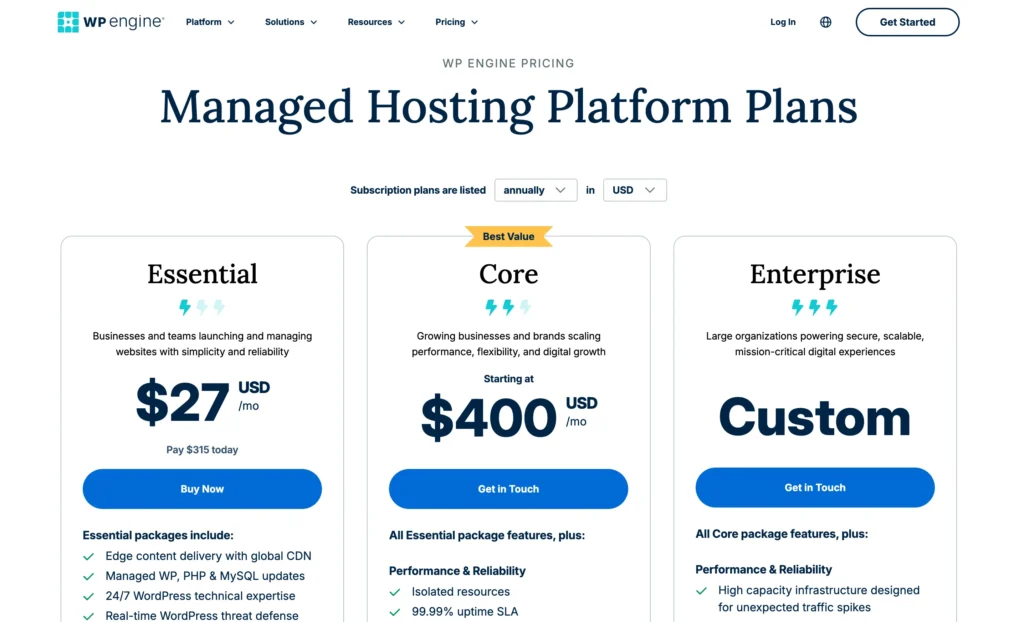
WP Engine offers three main managed hosting levels.
The Startup plan has a published monthly price based on annual billing.
The Core plan starts at a much higher monthly rate.
Enterprise pricing is customized.
1. WP Engine Startup Plan
The Startup plan costs $27 per month when billed annually.
Users pay $315 upfront for the year.
The plan includes:
• One WordPress website
• Up to 25,000 estimated visits per month
• 10 GB storage
• 75 GB bandwidth per month
• Global CDN
• Managed WordPress updates
• Managed PHP updates
• Managed MySQL updates
• 24/7 WordPress technical expertise
• Real-time WordPress threat defence
• Free automated migration plugin
• Local development tool
Additional websites cost $15 per month each.
The Startup plan is suitable for one professional WordPress website, a small business site, a growing blog, or a low-traffic marketing website.
Its main limitation is the 25,000-visit estimate and one-site allowance.
2. Automated Plugin Updates Add-On
Automated Plugin Updates cost an additional $3 per month on the Startup plan.
This extension includes:
• Automatic plugin updates
• Visual regression testing
• Update safety checks
• Rollback support
It is useful for users who want to reduce manual plugin maintenance.
3. Extra Layer of Security Add-On
The Extra Layer of Security costs an additional $17 per month.
It includes:
• Managed web application firewall
• DDoS mitigation
• Cloudflare CDN
• SSL
• Enterprise-grade security controls
This add-on may be suitable for websites that handle sensitive customer data or need stronger protection.
4. NitroPack Add-On
NitroPack costs an additional $15 per month on the Startup plan.
It provides more than 30 website speed optimisations.
These include improvements for:
• Images
• Website code
• Caching
• Page loading
• Speed scores
This extension is intended for users who want additional automated performance optimisation.
5. WP Engine Core Plan
The Core plan starts at $400 per month.
It is designed for growing businesses and brands that need stronger performance, flexibility, support, and security.
The plan includes all Essential package features, plus:
• Isolated resources
• 99.99% uptime SLA
• AI-powered plugin updates
• AI-powered theme updates
• NitroPack
• Fast-track support from senior experts
• On-demand performance investigations
• Advanced uptime monitoring alerts
• Managed bulk website migrations
• Personalised onboarding
• GeoTarget
Available extensions include:
• Ecommerce Performance Pack
• Application Performance
• Failover
• High Availability
• Managed Vector Database
• Smart Search AI
The Core plan is best suited to established businesses, agencies, ecommerce brands, and organisations that depend heavily on WordPress.
The starting price is much higher than standard managed hosting, so the plan only makes sense when the additional support and infrastructure are genuinely required.
6. WP Engine Enterprise Plan
The Enterprise plan uses custom pricing.
It is built for large organisations running secure, scalable, mission-critical digital experiences.
It includes all Core features, plus:
• High-capacity infrastructure
• Support for unexpected traffic spikes
• High-availability solutions
• Single-node solutions
• NitroPack
• Top-tier priority support
• Dedicated expert team
• Ongoing technical and business alignment
• Incident analysis
• Proactive performance management
• Collaborative event preparation
• Real-time event monitoring
• Advanced DDoS protection
• Managed web application firewall
• Proactive account monitoring
• Managed migration planning team
• Consultative business development
• Git-powered CI/CD
• SSH gateway
Available extensions include:
• Ecommerce Performance Pack
• Application Performance
• Failover
• High Availability
• Managed Vector Database
• Smart Search AI
The Enterprise plan is intended for large businesses, global organisations, high-traffic publishers, and major ecommerce platforms.
Pricing depends on website traffic, infrastructure requirements, support needs, and technical complexity.
Who Should Use WP Engine?
WP Engine is most suitable for users who rely heavily on WordPress and need more than basic hosting.
It may be a good choice for:
• Growing WordPress businesses
• Digital agencies
• Professional developers
• Ecommerce stores
• High-traffic publishers
• Marketing teams
• SaaS brands using WordPress
• Companies managing multiple websites
• Enterprises with strict uptime requirements
• Organisations requiring advanced security
• Teams needing senior technical support
The Startup plan is best for one professional website with moderate traffic.
The Core plan is designed for businesses that need isolated resources, stronger support, advanced monitoring, and scalable infrastructure.
The Enterprise plan is suitable for mission-critical websites where downtime, security issues, or slow performance could create serious business problems.
Is WP Engine Legit?
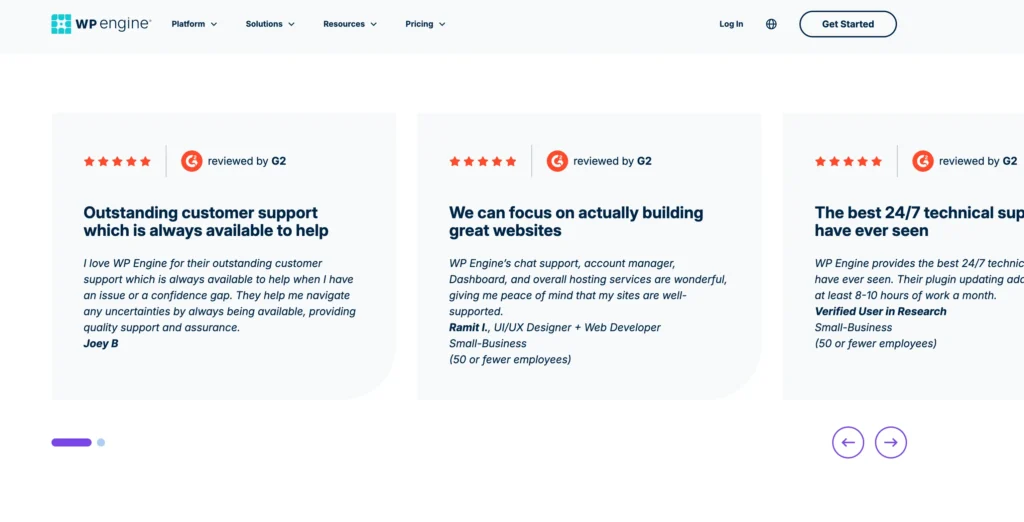
Yes, WP Engine is a legitimate managed WordPress hosting provider.
Its service is built specifically around WordPress performance, maintenance, security, development, and support.
The company provides managed updates, CDN access, migration tools, threat defense, developer features, premium support, and enterprise infrastructure.
WP Engine is not a low-cost hosting provider.
Its pricing reflects its focus on managed services and business users.
Anyone considering WP Engine should compare the cost against the value of reduced maintenance, stronger security, specialised support, and more reliable performance.
Pros and Cons of WP Engine
Pros
• Built specifically for WordPress
• Managed WordPress, PHP, and MySQL updates
• 24/7 WordPress technical support
• Global CDN included
• Real-time WordPress threat defence
• Free automated migration plugin
• Local development tools
• Isolated resources on Core
• 99.99% uptime SLA on Core
• AI-powered plugin and theme updates
• NitroPack performance tools
• Advanced security options
• Managed bulk migrations
• Personalised onboarding
• GeoTarget features
• High-availability options
• Enterprise migration planning
• Git-powered CI/CD on Enterprise
• Dedicated expert teams for large customers
Cons
• More expensive than standard WordPress hosting
• Startup costs $27 per month
• Only one site is included with Startup
Final Verdict: Who Gets the Most Value From WP Engine?
WP Engine is not trying to compete with budget hosts.
Its service is aimed at users who see WordPress as an important business platform rather than a simple website builder.
The Startup plan provides a managed environment for one professional website, but several useful features require paid extensions. Adding plugin updates, stronger security, and NitroPack can increase the monthly cost quickly.
For a small blog or a new personal project, that price may be difficult to justify.
For a business website where security, uptime, expert support, and smooth maintenance matter, the value becomes easier to understand.
The Core plan is a major step up in price, starting at $400 per month.
It makes sense for established brands that need isolated resources, senior technical support, advanced monitoring, managed migrations, and stronger performance tools.
Enterprise hosting is built for organisations where website failure could affect customers, revenue, brand reputation, or internal operations.
WP Engine is therefore best viewed as a specialist WordPress platform rather than ordinary web hosting.
It is worth considering for businesses, agencies, ecommerce brands, and larger teams that want a managed service and are comfortable paying for technical support and infrastructure.
Users focused mainly on low prices, generous storage, or several small websites will probably find better value elsewhere.